Pavement Research Data Collection for Special Projects and Studies
TotalPave supports pavement research data collection for pilots, validation studies, special road condition projects, and academic or agency research using smartphone-based IRI and PCI workflows.
TotalPave IRI
Collect roughness data with mounted smartphones and standard vehicles. Low collection friction makes TotalPave IRI useful for repeated measurements, before-and-after studies, route comparisons, pilot programs, and monitoring change across multiple test conditions.
TotalPave PCI
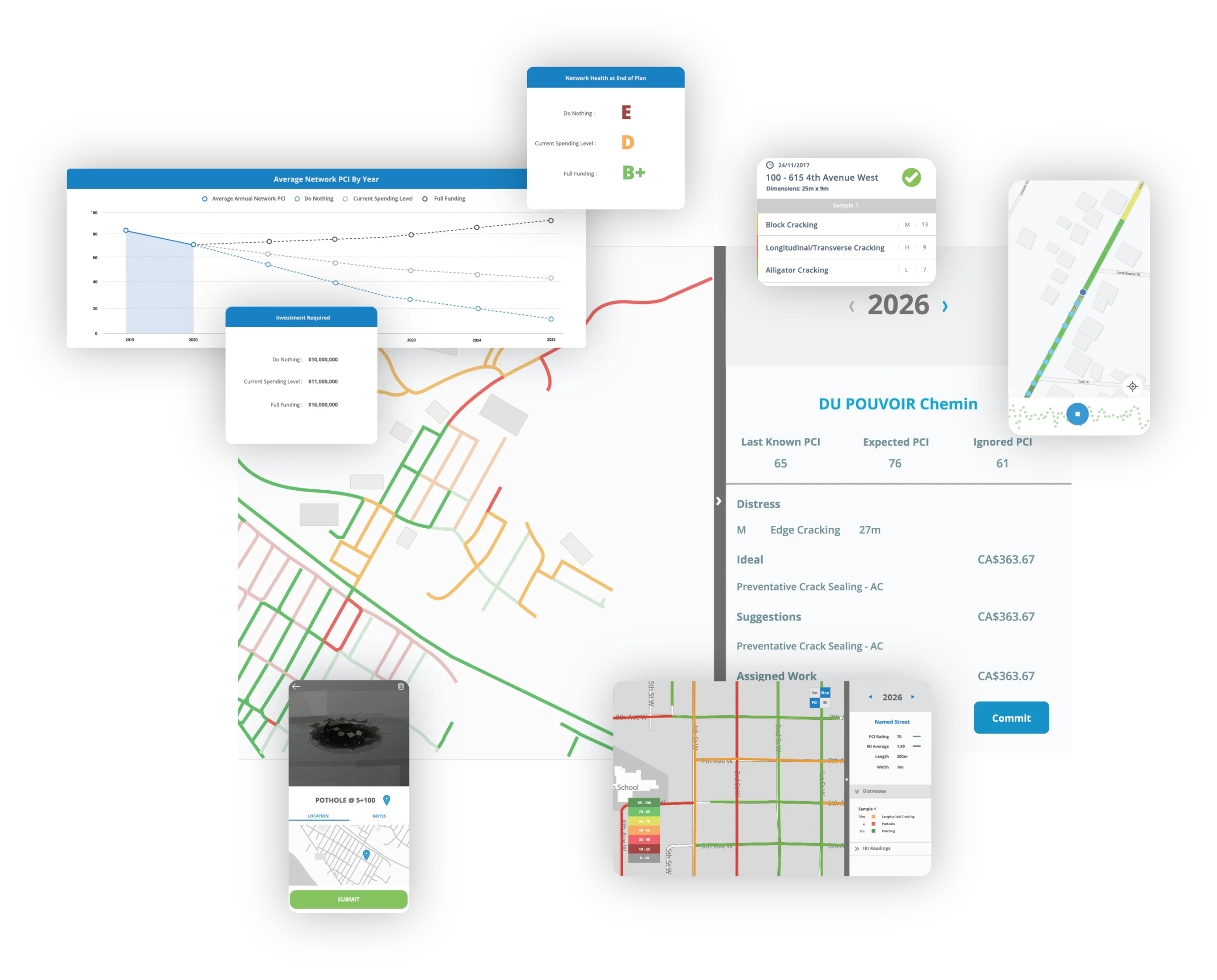
Complete guided visual pavement condition surveys and record distress type, severity, and extent by road section. Use the structured results for field studies, method comparisons, baseline inventories, and applied pavement research.
SurfaceView PCI
Turn suitable georeferenced roadway imagery into PCI scores and distress-level outputs. SurfaceView PCI can support projects where continuous visual coverage is valuable or repeated walking surveys are not practical.
WorkPlan Analytics
Use condition data, deterioration assumptions, budgets, and treatment rules to compare scenarios and test planning questions. WorkPlan Analytics can help connect research findings with practical maintenance and paving decisions.
Build a repeatable data workflow around the research question
Easy-to-use pavement research data collection tools and mapped outputs to move from a project idea to repeatable measurements, analysis, and documented findings.
Set Up
Start with existing GIS road centerlines or automatically generate interval-based road segments for your network.
Compare
Review mapped segments, repeat runs, distress records, time periods, and other test conditions in the portal or exported data.
Share
Export results for statistical analysis, papers, technical reports, presentations, GIS, project partners, or future monitoring.
Research flexibility without specialized survey overhead
TotalPave lowers the barrier to collecting pavement data often, across more locations, and under study designs that would be difficult to support with traditional pavement research data collection tools.
Use regular vehicles, smartphones, and low-cost camera setups
Return to the same routes, sections, or test sites throughout the project
Keep measurements connected to consistent road segments and locations
Projects made possible by simple, flexible collection
Academic pavement research
Support theses, funded studies, classroom projects, and collaborative research involving pavement roughness, distress, condition, or deterioration.
Longitudinal monitoring
Return to the same sections across seasons or years to study changing condition, deterioration rates, traffic effects, or environmental influences.
Pilot and demonstration projects
Measure baseline and follow-up conditions for new technologies, operational changes, demonstration corridors, or limited-scope field trials.
Treatment and material studies
Compare pavement sections before and after maintenance, rehabilitation, new materials, construction methods, or preservation treatments.
Non-traditional road networks
Study campuses, airports, industrial sites, private roads, resource roads, trails, test tracks, and other surfaces outside a typical municipal survey.
Method comparison studies
Compare collection frequencies, devices, routes, field methods, imagery workflows, or TotalPave results with other available measurement systems.
Using TotalPave for Academic Research?
Eligible universities, colleges, and researchers receive discounted access to TotalPave IRI, PCI, and the web portal.
Special projects and research FAQs
Does a project need to cover a full road network?
No. TotalPave is well suited to focused studies, pilot areas, individual corridors, test sections, campuses, and other limited or unusual project areas.
Can we collect the same locations repeatedly?
Yes. The low-cost collection workflow makes it practical to revisit the same sections across days, seasons, project phases, or multiple years.
What equipment is required?
IRI collection uses a compatible smartphone or tablet, a sturdy windshield mount, and a vehicle. PCI and SurfaceView projects have their own practical field equipment requirements.
Can TotalPave help configure the study area?
Yes. TotalPave can help configure road sections, project areas, collection workflows, and available outputs around the goals of the study.
Can we export data for our own analysis?
Yes. Available outputs can be exported for spreadsheets, GIS, statistical analysis, technical reports, presentations, and academic publication workflows.
Can TotalPave participate as a project partner?
TotalPave can license the tools, support setup, collect data, process SurfaceView imagery, provide analytics, or participate in a shared project delivery model.
How quickly are results available?
Processing timing depends on the workflow and whether the road sections already exist in the portal. Project-specific processing and delivery timing can be planned during setup.
Have a research question or unusual pavement project?
Tell us what you want to study, where the work will happen, how often you need measurements, and what outputs are required. We can help determine the optimal combination of apps, services, processing, and analytics.
Discuss a special project
Share a few details and we will follow up with options for the project.