
Collect standard PCI with a smartphone
Use ASTM D6433, PASER-style ratings, or MTO SP workflows to record pavement condition directly in the field. The app keeps each observation tied to road sections and syncs completed results to the web portal.
Run field inspections without paper forms
Crews record the information required by the selected method as they work. Section setup, samples, measurements, calculations, and syncing stay inside one mobile workflow.
Use familiar inspection tools
Complete surveys with a smartphone, survey wheel, measuring tape, appropriate safety equipment, and the TotalPave PCI app.
Follow standard methodology
Guide crews through the distress types, severity levels, measurements, and other inputs required by the selected survey method.
Let the app guide sampling
Select the section, enter its width and surface type, and use the app to organize representative sample areas.
Record observations in the field
Enter each visible distress while inspecting the sample instead of transferring handwritten notes into a spreadsheet later.
Calculate PCI without manual spreadsheets
For PCI surveys, verified distress records are converted into sample and section results inside the TotalPave system.
Carry the inspection into planning
Use the mapped results, distress records, tables, and exports to support maintenance and rehabilitation decisions.
From field samples to PCI results in four steps
Each survey remains connected to its mapped road section from the first sample through final calculation and synchronization.
Select Section
Choose the target road section from the app map and confirm width and surface type.
Mark Samples
Use the app’s sample guidance to identify representative sample areas in the field.
Record Distresses
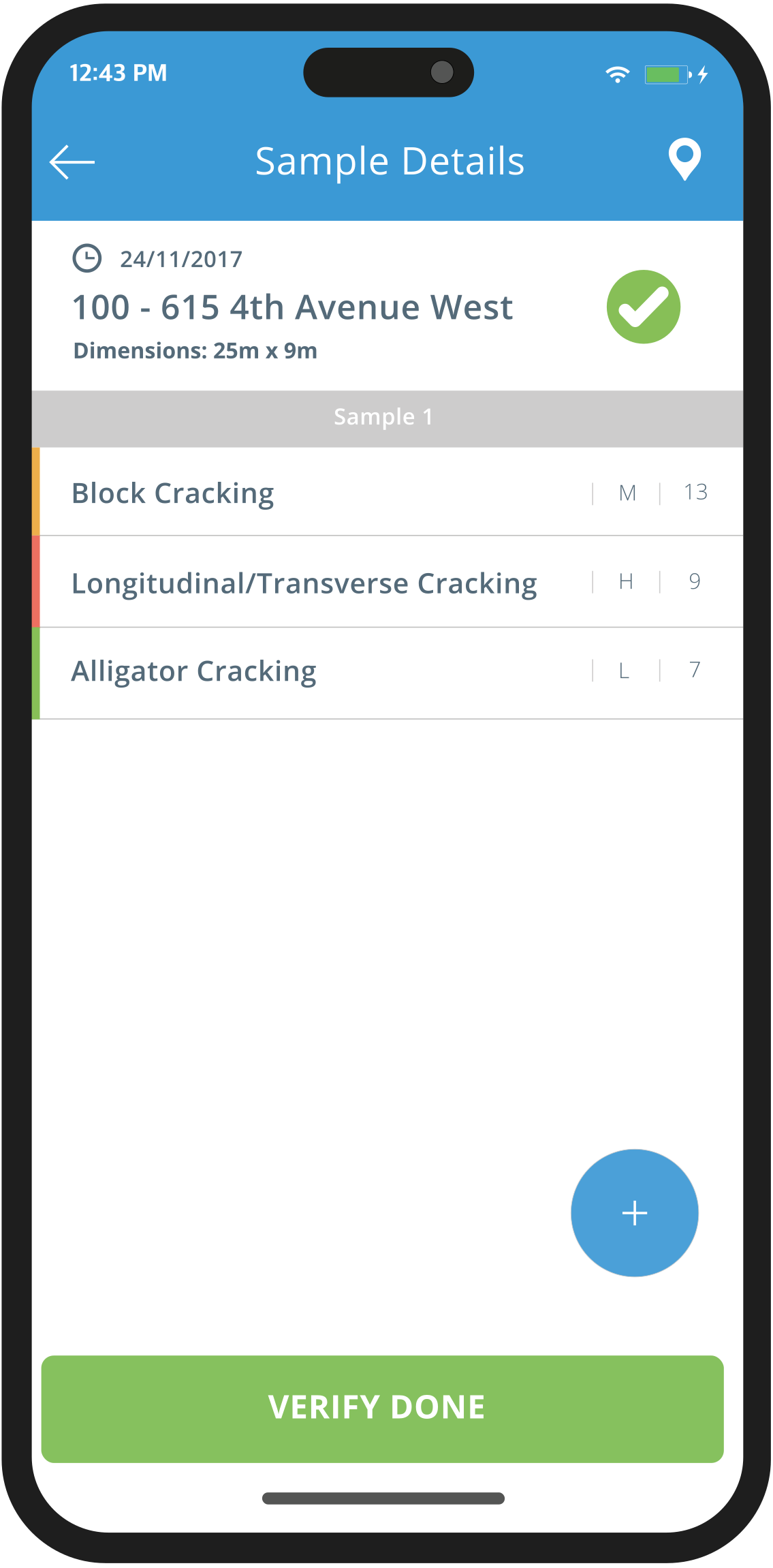
Walk the sample and enter distress type, severity, and measured extent.
Verify & Sync
Review the completed sample, confirm the entries, and sync the survey to the TotalPave account.
Built for consistent field inspections
From section selection through final sync, the app keeps the survey organized and preserves the observations supporting each condition result.
Section selection
Sample guidance
Distress entry
Depending on your methodology, record each observed distress by type, severity, and measured quantity.
Severity ratings
PCI calculation
Automatic syncing
Turn PCI surveys into actionable insights
Color-coded PCI map layers
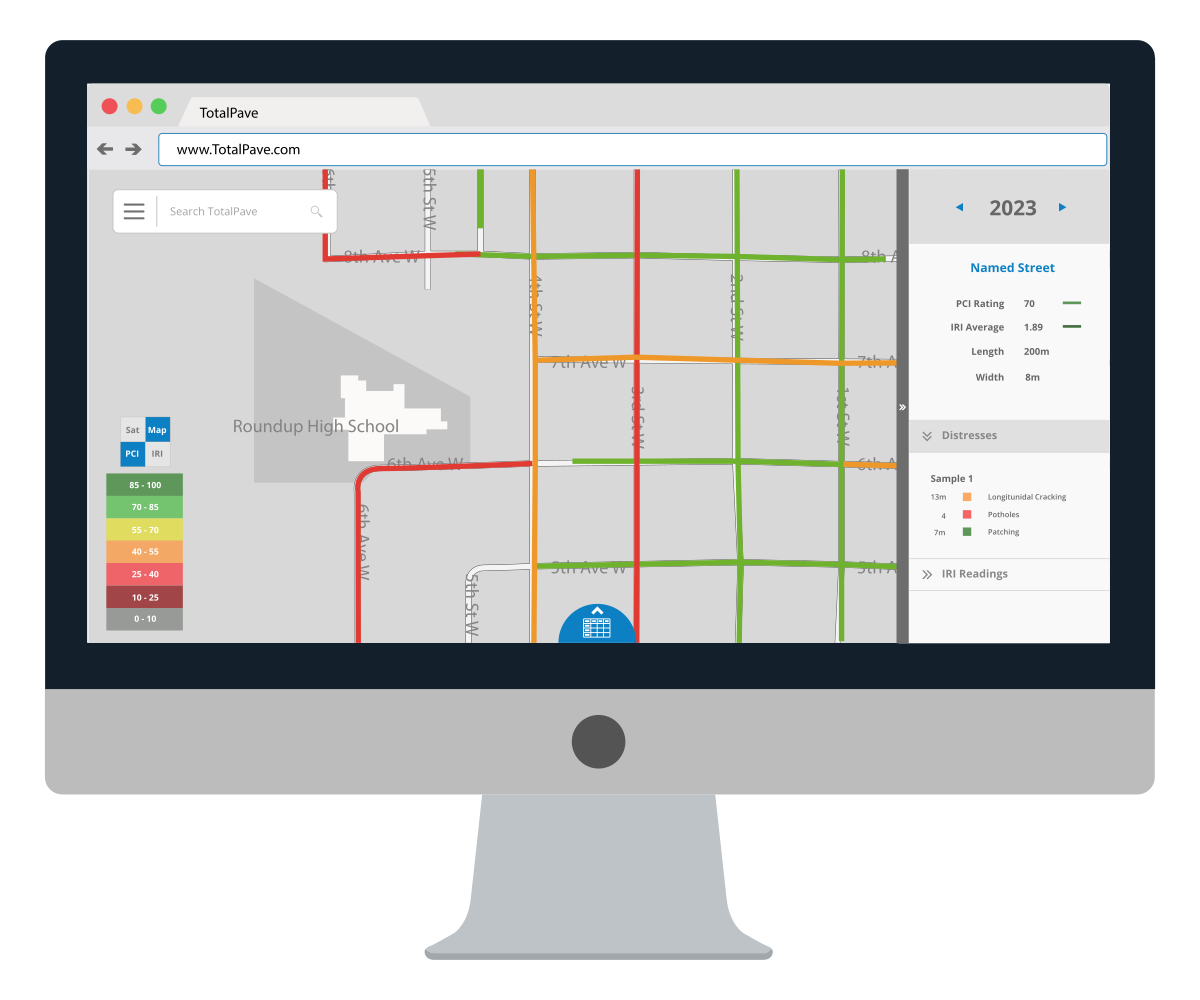
Display PCI results visually across the road network using clear condition categories. Roads are mapped by segment so teams can quickly compare condition and focus attention on sections that need closer review.
Distress-level records
Review the distresses recorded during survey work, including type, severity, and extent. This gives teams more context than a single condition score and supports better treatment selection.
PCI tables and exports
Use searchable tables and exports to move PCI data into reports, spreadsheets, GIS workflows, and pavement management planning.
WHO IT IS FOR
Designed for teams that need structured visual pavement inspections
TotalPave PCI gives teams a structured way to complete pavement inspections in the field, capture distress details, and turn that work into calculated PCI results without paper forms or spreadsheet cleanup.

Network planning
Asset Management
Complete structured PCI inspections across municipal networks and convert distress records into condition scores by road section.

Client projects
Consultants
Standardize field collection for client pavement assessments with distress type, severity, quantity, and calculated PCI outputs.

Research and pilots
Special Projects
Use guided PCI surveys for pilots, campuses, parks, depots, parking areas, or targeted pavement studies.

Bike paths
Active Transportation Networks
Record surface distresses on bike paths and shared use routes using a consistent inspection workflow for non-road assets.
TotalPave PCI FAQs
Answers to common PCI setup, collection, distress, export, and planning questions.
Do we need special equipment?
The recommended setup is a smartphone with the TotalPave PCI app, a survey wheel, measuring tape, appropriate safety equipment, and access to the PCI distress manual.
Can our own staff collect PCI data?
Yes. TotalPave PCI is designed so municipal staff, consultants, or contractors can complete visual pavement condition surveys using a practical app workflow.
What standard methodologies does TotalPave PCI support?
TotalPave PCI can support ASTM D6433 PCI surveys, PASER-style numerical condition ratings, and MTO SP-based pavement surveys.
ASTM D6433 uses visual distress observations to calculate a Pavement Condition Index. PASER-style surveys use a simple numerical condition score for each road segment. MTO SP surveys follow Ontario pavement condition workflows using defined distress types, severities, and extent categories.
TotalPave can be configured to match the pavement assessment methodology required for your project.
What does the app record?
The app records section and sample information, visible pavement distresses, distress severity, and measured quantity such as length, area, or count depending on the survey methodology you have chosen.
Does the app calculate PCI?
Yes. Once samples and distresses are verified, the app supports PCI calculation and sends results to the TotalPave system.
Can I export the data?
Yes. PCI data can be reviewed in the portal and exported for reporting, spreadsheet, GIS, and pavement management workflows.
Can PCI results support pavement planning?
Yes. PCI results can be used alongside IRI, imagery, budgets, and analytics to support pavement planning and treatment decisions.
See how TotalPave PCI Can work for you
Get a live overview of the IRI app, collection workflow, portal outputs, and how it can fit your road condition assessment process.
What happens next?
After you submit the form, we will review your road network requirements and follow up with the best next steps for your team.