Monitor haul road roughness before it becomes downtime

Resource haul roads take a beating from heavy equipment, loaded trucks, weather, and repeated traffic. TotalPave IRI gives operators an easy way to collect frequent roughness data, track changes over time, and prioritize maintenance before road condition affects productivity, equipment costs, or safety.

Haul Road roughness is costing you

When roughness is only discovered through complaints, breakdowns, or unsafe driving conditions, maintenance teams are already reacting instead of managing the road.

-
Unplanned maintenance
-
Equipment wear and fatigue
-
Slower haul cycles
-
Safety and material risk

What repeated IRI checks make possible

Fast smartphone collection gives maintenance and operations teams a repeatable way to see where haul roads are changing.

Track roughness day to day
Find problem sections before they fail
Prioritize grading and repairs
Document network condition over time
IRI FOR RESOURCE HAUL ROADS

See roughness trends before they disrupt operations

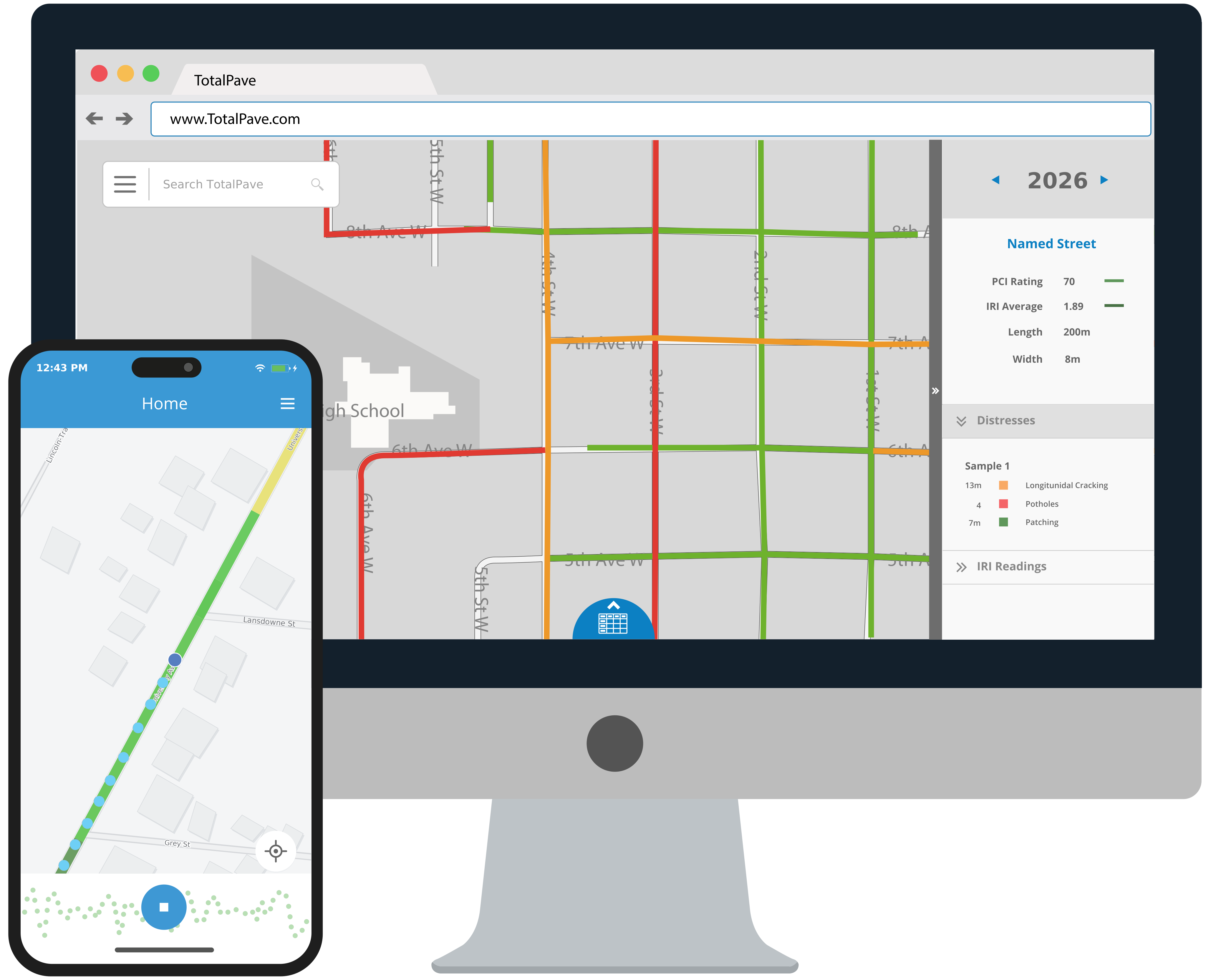
Collect repeated IRI runs with your phone mounted to your windshield and review mapped results in the TotalPave web portal. Teams can identify rough segments, compare changes over time, and focus maintenance on the road sections most likely to affect haul productivity, equipment wear, or safe travel.

HOW IT WORKS

Build IRI checks into haul road maintenance

Use TotalPave IRI for frequent roughness monitoring on active haul roads, remote access roads, mine roads, forestry roads, and industrial routes.

Step 1

Mount

Secure and level the phone in a sturdy windshield mount inside a pickup or other suitable vehicle.

Step 2

Drive

Start the app and drive the haul road route above the minimum collection speed when site conditions allow.

Step 3

Review

Upload the run and use the web portal to review mapped IRI results by segment.

Step 4

Act

Prioritize grading, resurfacing, drainage fixes, or closer field review based on the roughest sections.

WHERE IT FITS

A focused IRI toolkit for high-use resource roads

Use TotalPave IRI wherever frequent roughness information can help protect equipment, maintain production, prioritize road work, and reduce operational risk.

Mine and quarry haul roads

Monitor active haul routes, ramps, pit roads, and access roads carrying heavy equipment and high production volumes.

Forestry and logging roads

Track changing conditions on unpaved and paved resource roads affected by heavy loads, weather, moisture, and seasonal operations.

Industrial and port roads

Review road condition across plants, terminals, yards, ports, and private industrial networks where roughness affects equipment and cycle times.

Hazardous-material routes

Identify rough segments on routes used to transport fuel, chemicals, ore, or other sensitive loads where vehicle stability and control matter.

Weather and seasonal monitoring

Collect after rain, freeze-thaw cycles, spring breakup, heavy traffic, or other events that may quickly change road condition.

Maintenance verification

Measure before and after grading, resurfacing, spot repair, or drainage work to confirm improvement and support maintenance decisions.

FAQ

Resource haul road IRI FAQs

Answers to common questions about equipment, collection frequency, road type, mapped results, and maintenance planning.
Do we need a specific vehicle?

No. Collection requires a compatible smartphone or tablet, a sturdy windshield mount, and a suitable site vehicle in good working condition.

That depends on the road and the operational risk. Some sites may run weekly or monthly checks, while high-use haul roads can be checked daily or after major maintenance, weather, or traffic changes.

Collection is designed for speeds above 20 km/h or 12 mph. The app tracks speed and filters low-speed portions so they do not distort the IRI result.

Yes. Repeat runs on the same mapped line make it easier to track roughness trends, compare maintenance effects, and identify sections that are getting worse.

No. TotalPave IRI can support paved and unpaved haul road monitoring where the goal is practical roughness tracking. The setup and interpretation should match the site, vehicle, speed, and maintenance decision being supported.

Yes. Portal maps, tables, notes, and exports can support maintenance planning, internal operations reviews, capital planning, and field discussions with maintenance teams.

IRI results appear in the TotalPave web portal almost immediately after the log is uploaded.

The only exception is the first time you collect data in a new area. In that case, the system first needs to create the mapped road line based on where you drove, then calculate the IRI results for that new line. This mapping process runs nightly, so first-time results are typically available the next day.

After the road line has been created, future runs on that same line process much faster and usually appear almost immediately after upload.

REQUEST A TRIAL

Ready to put TotalPave IRI to work?

Tell us about the haul roads, access roads, or industrial routes you need to monitor. We will help your team plan a straightforward IRI trial using the vehicles and phones you already have.

Review haul road routes, traffic, and maintenance triggers
See the field collection and web portal workflow
Plan collection frequency for daily, weekly, or event-based checks

Set up a trial for your field or maintenance team

What happens next?

After you submit the form, we will review your haul road monitoring needs and follow up with the best setup, trial, and training options for your team.

Request a trial or demo

Share a few project details and we will follow up with recommended next steps for TotalPave IRI.